OFFSET

A Minecraft launcher that stays out of your way.

Modpacks, profiles, and one-click imports in a fast, minimal launcher. No clutter, no bloat.

Windows 10/11 · 64-bit
Windows may show a SmartScreen warning because the installer is new. Click "More info", then "Run anyway".
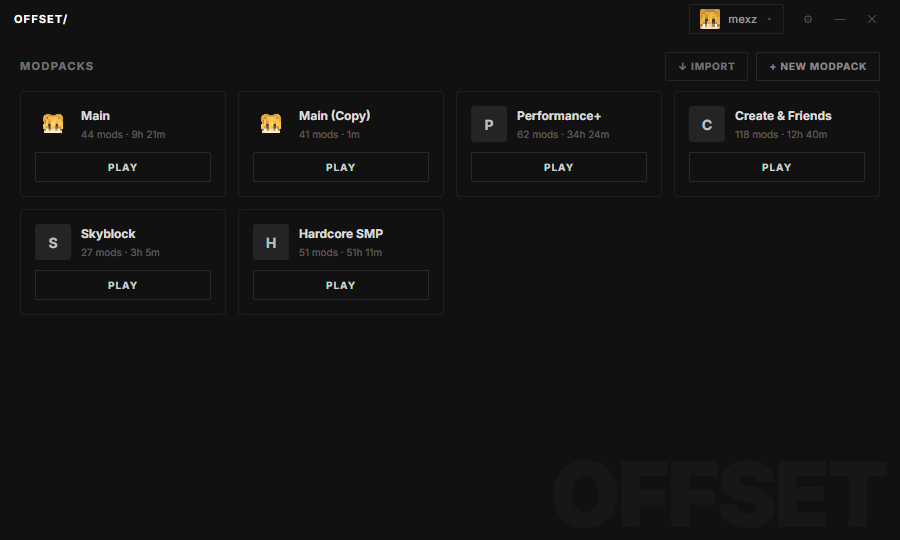
Offset launcher screenshot
<2s
LAUNCH TIME
10K+
MODS SUPPORTED
1-CLICK
PACK IMPORT
0
ADS. EVER.

FEATURES

Everything a launcher should do. Nothing it shouldn't.

MODPACK MANAGEMENT
Create, duplicate, and organize packs from a single dashboard. Playtime and mod counts at a glance.
ONE-CLICK IMPORT
Drop in a .mrpack or CurseForge zip and play. Mods, configs, and loader versions resolve automatically.
»
FAST STARTUP
The launcher opens instantly and gets the game running in seconds. No splash screens, no waiting.
CUSTOM PROFILES
Separate memory, Java, and resolution settings per pack. Switch accounts without re-logging.
AUTO UPDATES
Packs and the launcher itself stay current in the background. Roll back any update with one click.
LOG VIEWER
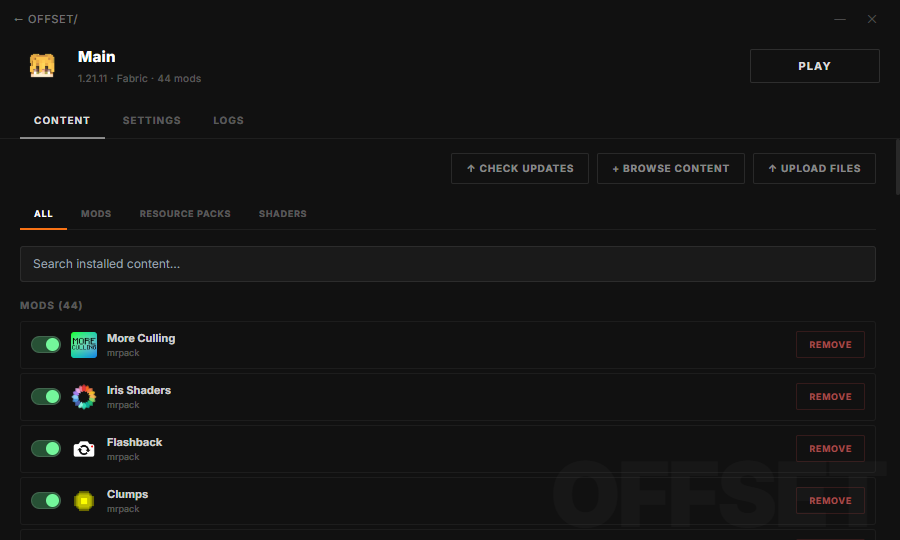
Built-in crash and log inspection, so you can spot the broken mod without digging through folders.

MODPACKS

Manage every pack from one place.

Create, duplicate, and organize modpacks in seconds. Import from a file or a link, track playtime per pack, and jump straight into the game with one click.

Modpack management screenshot

DOWNLOAD

Get Offset

DOWNLOAD
Windows 10/11 · 64-bit
Windows may show a SmartScreen warning because the installer is new. Click "More info", then "Run anyway".

FAQ

Yes. Offset is completely free to download and use. No accounts, subscriptions, or paid tiers.
Every release from 1.8 through the latest version, including snapshots. New versions appear in the launcher shortly after Mojang publishes them.
Both, plus Quilt and NeoForge. Pick a loader when creating a modpack and Offset installs the right version automatically.
Yes. Offset signs in through Microsoft’s official authentication flow. Your credentials never touch our servers. Tokens are stored encrypted on your machine only.
Click IMPORT in the launcher and select a .mrpack or CurseForge zip, or drag the file onto the window. Offset resolves the mods and creates the pack automatically.
OFFSET

Ready to launch faster?

GET STARTED